Physics or physics is a natural science that focuses on the study of matter and its motion through space and time, along with related concepts such as energy and force. Physics is one of the oldest scientific disciplines, so its body of knowledge is very rich. To facilitate the preparation and storage of questions for creating tests, Ninequiz has integrated the feature of creating tests from the question library, helping teachers save time and effort.
Create a Physics question library on Ninequiz
Create groups in the question library on Ninequiz
To create a "Group" in the library on Ninequiz, we perform the following steps:
- Step 1: Access www.ninequiz.com
- Step 2: Log in with gmail or a registered account
- Step 3: Select the "Create and manage tests" interface
- Step 4: Click on the "Question library" section
- Step 5: Click on "Group"
- Step 6: Click "Create group"
- Step 7: Enter the group name and click "Add" to complete
Create categories in the question library on Ninequiz
To create a "Category" in the library on Ninequiz, we perform the same steps as the instructions for creating a group above.
Create a Physics question library on Ninequiz
After creating groups and categories, we perform the following instructions to manage the library optimally:
- Step 1: Click on the "Question" section
- Step 2: Click "Create question"
- Step 3: Select the category and group according to your needs
- Step 4: Select the question type, enter the question and answer
- Step 5: Similarly enter a new question or click "Save question" to complete
- Step 6: Return to the "Question library" interface, click "Filter", select the group and category to filter according to your needs
- Step 7: Questions belonging to the same filtered group and category will be displayed, making the review process easier.
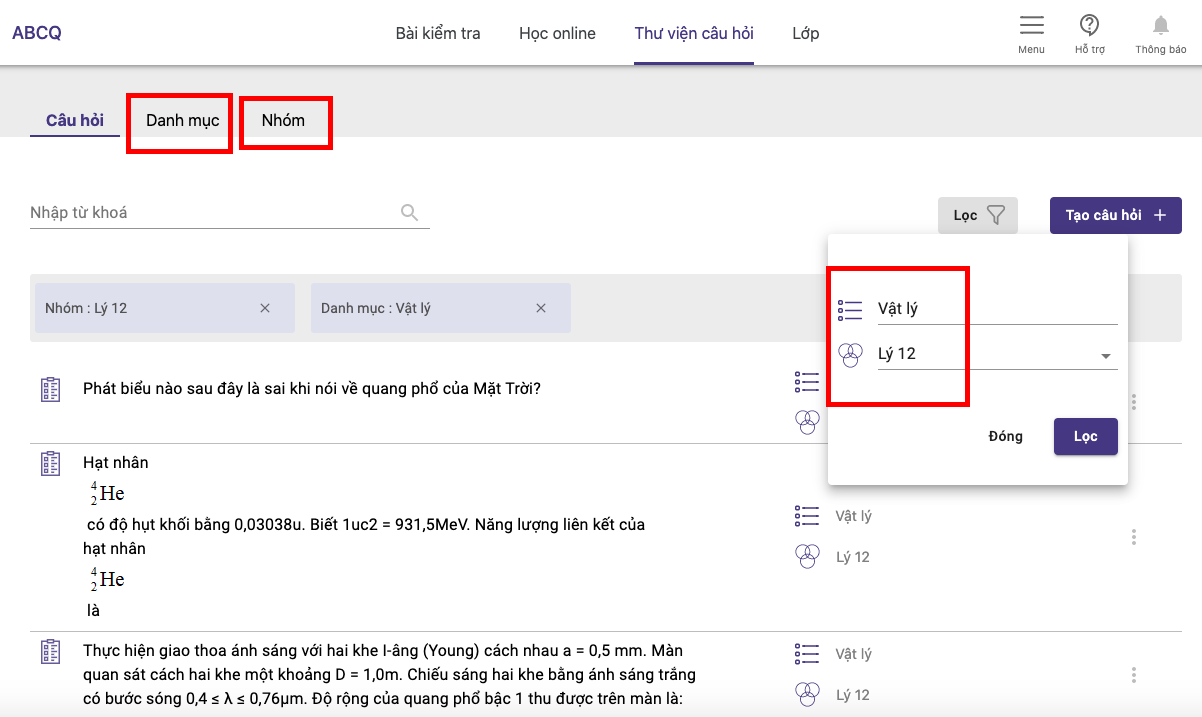
Create a question library on Ninequiz
Create a Physics test from the library on Ninequiz
The steps to create a test from questions in the library are as follows:
- Step 1: Click on the test page interface, click "Create test"
- Step 2: Enter general information for the test
- Test title
- Category (if needed)
- Set target audience
- Set test duration
- Configure other settings
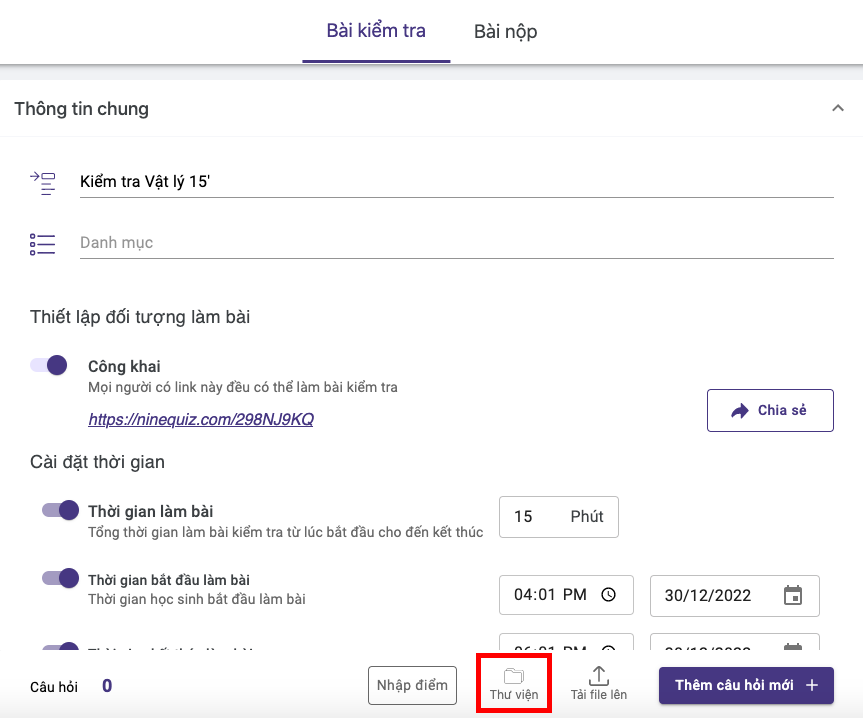
Create a test from the library on Ninequiz
