The multiple-choice exam format is becoming increasingly popular, requiring teachers to constantly update their knowledge and seek supporting tools. Creating multiple-choice questions is no longer difficult when you use Ninequiz software, which integrates all the necessary features for creating and shuffling tests with just a single command.
Introduction to the Ninequiz Application
Ninequiz is a free online multiple-choice exam management software that supports the implementation of online tests, assignments, and knowledge assessments for teachers and anyone who wants to create multiple-choice tests. Ninequiz can generate tests with various types of questions, efficiently shuffle questions, and quickly share them with students simply by sending a QR code.

Ninequiz is a comprehensive and easy-to-use multiple-choice question creation app
Notably, Ninequiz also integrates NineGPT artificial intelligence. NineGPT is truly a powerful tool that simplifies the process of creating multiple-choice questions. Just enter a few prompts or a passage of text, and NineGPT will automatically generate questions, helping users save significant time and effort.
Outstanding Features When Creating Multiple-Choice Questions on Ninequiz
Understanding the difficulties teachers face when creating questions manually, Ninequiz offers breakthrough features to optimize time and enhance the quality of student assessment.
User-friendly Interface, Quick Multiple-Choice Question Creation
- Add questions manually: You can create various types of questions such as single-choice, multiple-choice, or upload files if needed.
- Add questions from the library: Easily select questions from the available library, saving preparation time.
- Upload question files: You can upload files containing pre-prepared questions in Word or Excel format.
- Smart AI application helps create multiple-choice questions with just a topic, such as “History 11 Multiple-Choice,” without much effort.
Easy Management and Sharing of Online Tests
Ninequiz not only allows you to quickly create multiple-choice questions and tests but also manages and shares them efficiently. It is very easy to send a link or QR code for students to quickly access the test. Additionally, teachers can organize classes or groups and manage them flexibly, facilitating the distinction between different classes.
You can schedule separate tests for each group, thereby creating tests that suit the learning needs of each student group. With the access control system, you can be assured that only designated individuals can participate in the test.
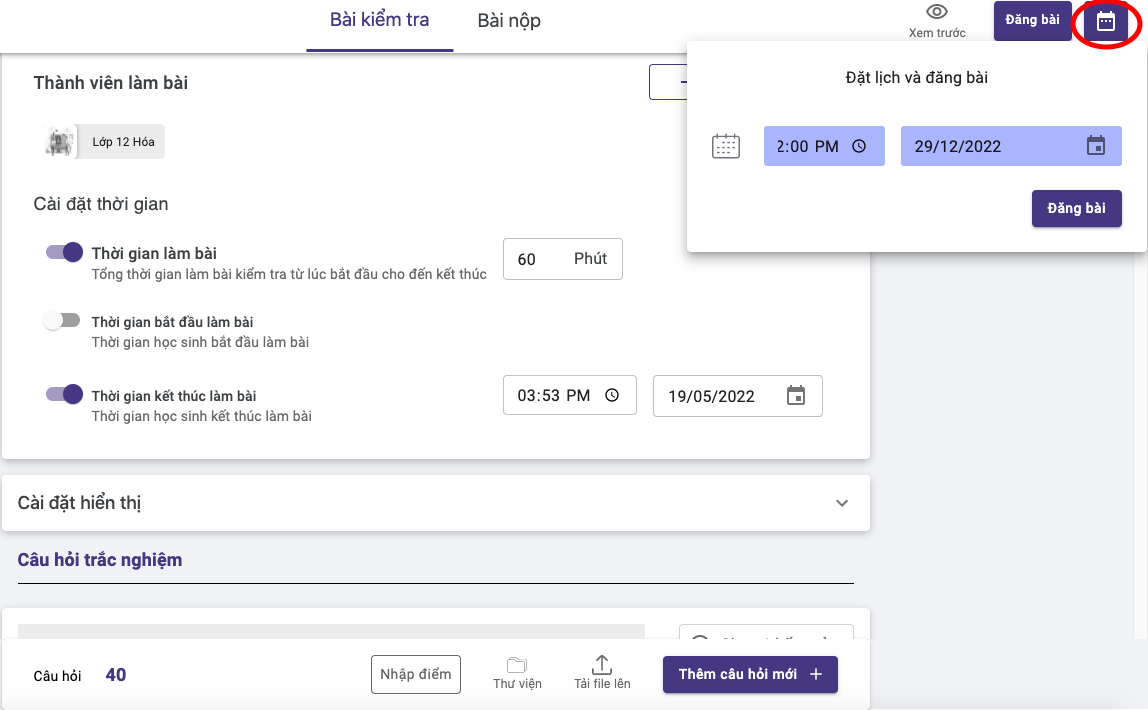
Ninequiz is a multiple-choice question creation app that allows teachers to manage their question banks
Students Can Take Tests Without Installing Additional Applications
Ninequiz offers a convenient test-taking experience without requiring students to install any applications. Students can easily access and take online tests without installing extra software, reducing technical burdens and saving device storage.
Ninequiz automatically adjusts to screen sizes, from mobile phones to tablets and desktops, ensuring stable image and content quality. Especially, students can answer essay questions by taking photos of their work or uploading Word files, allowing them to be proactive in answering open-ended questions. This is a suitable application that meets today's digital transformation needs.
Multiple-Choice Question Bank
The Ninequiz multiple-choice question bank is truly a useful tool, helping to optimize the process of preparing and organizing tests. With an intuitive and user-friendly interface, you can quickly and accurately create multiple-choice questions thanks to clear instructions.
Ninequiz also supports uploading question files, allowing for quick data entry, especially when handling large numbers of questions. You can categorize and group questions by topic, difficulty level, and other criteria, making management and searching easier.
Additionally, you don't have to worry about duplicate tests, because the feature to generate random tests from the question library ensures objectivity and diversity in exams, suitable for various testing purposes.
Ninequiz also allows sharing of question libraries, facilitating collaboration among teachers, improving the quality of educational resources, and saving time and resources.
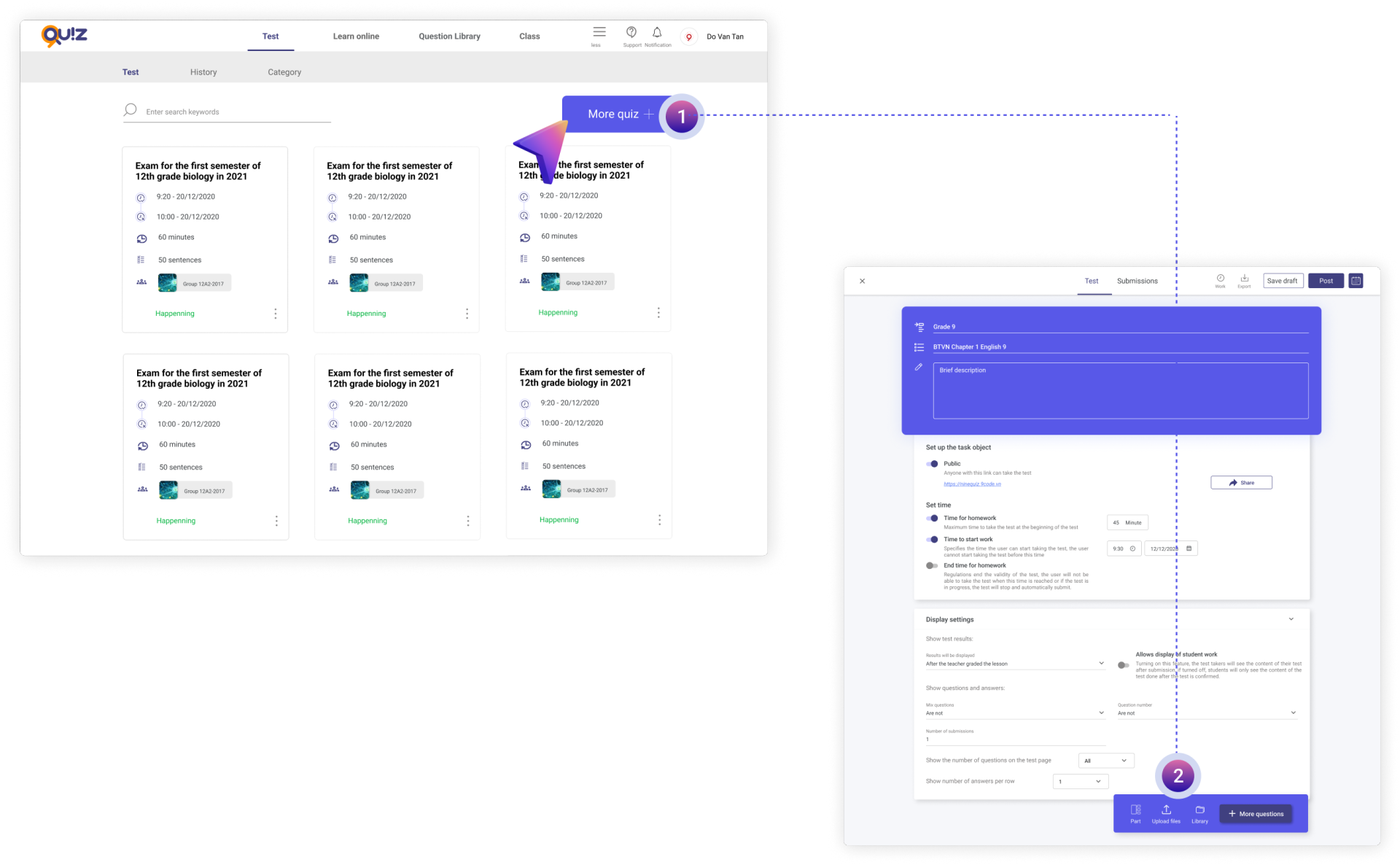
The multiple-choice question creation app features a diverse question bank
Instructions for Creating Tests on the NINEQUIZ Application
Understanding and mastering the outstanding features of Ninequiz allows you to maximize its application in your work and daily life.
- Step 1: In the search bar, go to the link ninequiz.com
- Step 2: Select to log in with your Gmail account; if you haven't created an account, click on the sign-up section
- Step 3: On the homepage, select “Create and manage tests” and follow the instructions
- Step 4: Enter the data and create the multiple-choice questions you want.
- Step 5: After completing all the questions, select the test takers (public)
- Step 6: Set the test time and other settings
- Step 7: Enter the questions and scores, then proceed to publish the test
- Step 8: Capture the QR code to share the test and let students take the test by scanning the generated QR code.
Creating multiple-choice questions is no longer a headache with Ninequiz. With its smart and flexible question bank feature, it not only helps teachers save time in preparing tests but also ensures diversity and quality in assessing students' knowledge. If you are a teacher looking for an easy tool to create multiple-choice questions, Ninequiz is the ideal companion.
